Gather 1.0 Office Space Settings
Last updated: May 29, 2026
This article explains all available settings for Gather 1.0 Office Spaces. These settings apply to the entire space and everyone within.
To change space settings, you must be an Admin. Click here to learn more about User Roles and Permissions.
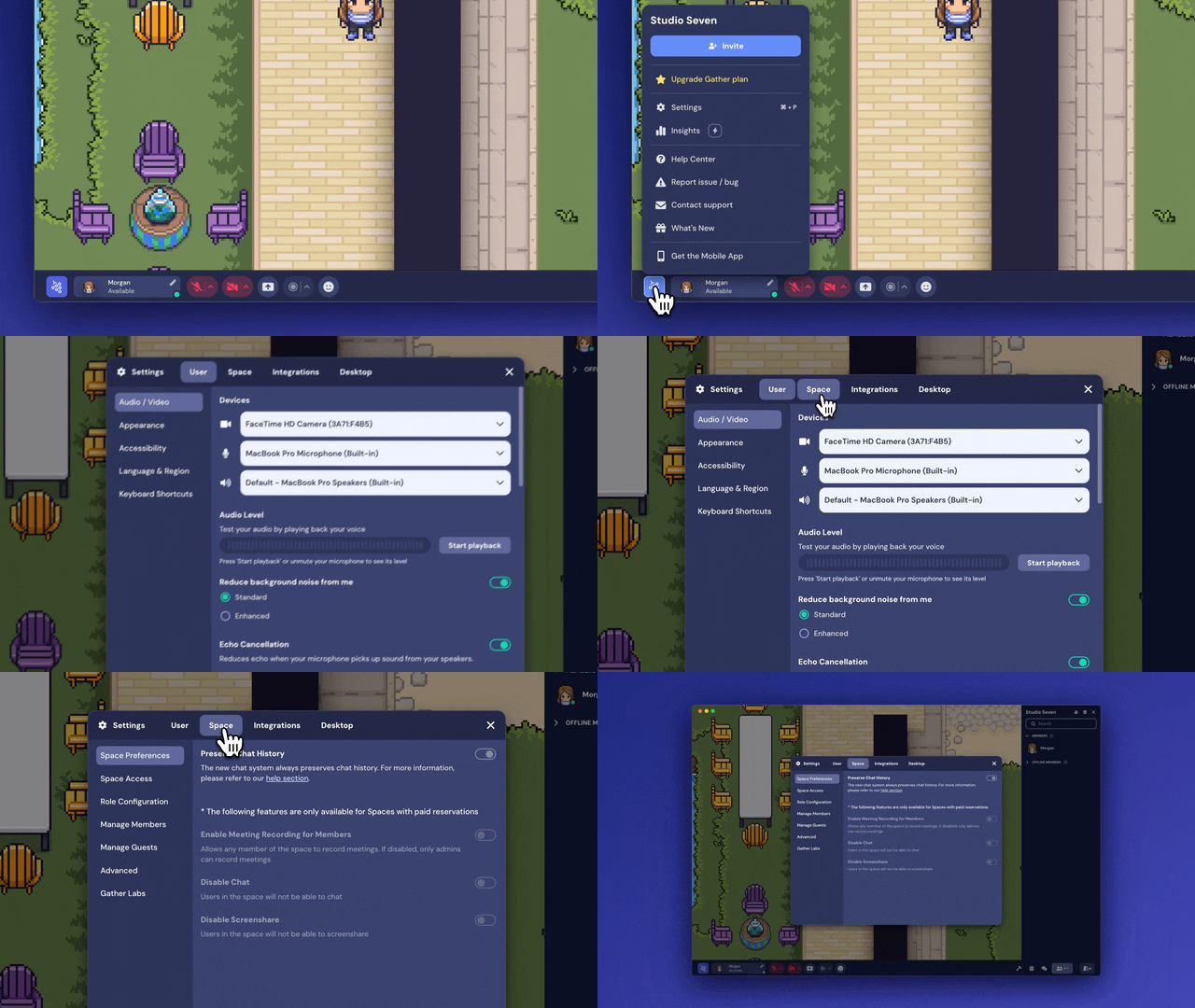
To open space settings:
Click the Main Menu button in the bottom navigation bar (with the Gather logo)
Click Settings
Click Space at the top
Space Preferences
Enable Meeting Recording for Members (Premium Feature)
If you have an active subscription, you can choose whether to enable or disable meeting recording for Members in the space. When toggled on, any Member of the space can record meetings. If disabled, only Admins can record meetings.
Learn more about Meeting Recording here.
Disable Chat (Premium Feature)
If you have an active subscription, you can choose whether to enable or disable chat for all users in the space.
Learn more about Office Chat here.
Disable Screen share (Premium Feature)
If you have an active subscription, you can choose whether to enable or disable screen sharing for all users in the space.
Learn more about Screen Sharing here.
Space Access
These settings help you manage who can access your space and how.
Enable Guest Check-In
When enabled, all non-members will need to request access to enter the space from an online Member.
Enabling this will replace password protection. In addition, guests will be able to see the names and activity status of all Space members when checking in.
Learn more about Guest Check-In here.
Space Password
Restrict access to your Office with a password. To set a new password, type it in the field and click Save. To remove the password, click Remove.
There is currently no way to view the existing password.
Learn more about Limiting Space Access here.
Require Login
This requires guests entering your space to have a Gather account and be signed in.
Allow Staff Access
Occasionally, Gather staff may need to access your space to help you troubleshoot an issue. Toggle on Allow Gather Staff Access so we can enter without needing your password or being a Member.
Email Domain Access (Premium Feature)
If you have an active subscription, you can restrict access to users logged in with specific domains.
Learn more about Limiting Space Access here.
Role Configuration
These settings allow you to customize certain features by user role. For example, some teams like to give all Members access to the Build Tool. Others like to limit this feature to Admins and Mapmakers.
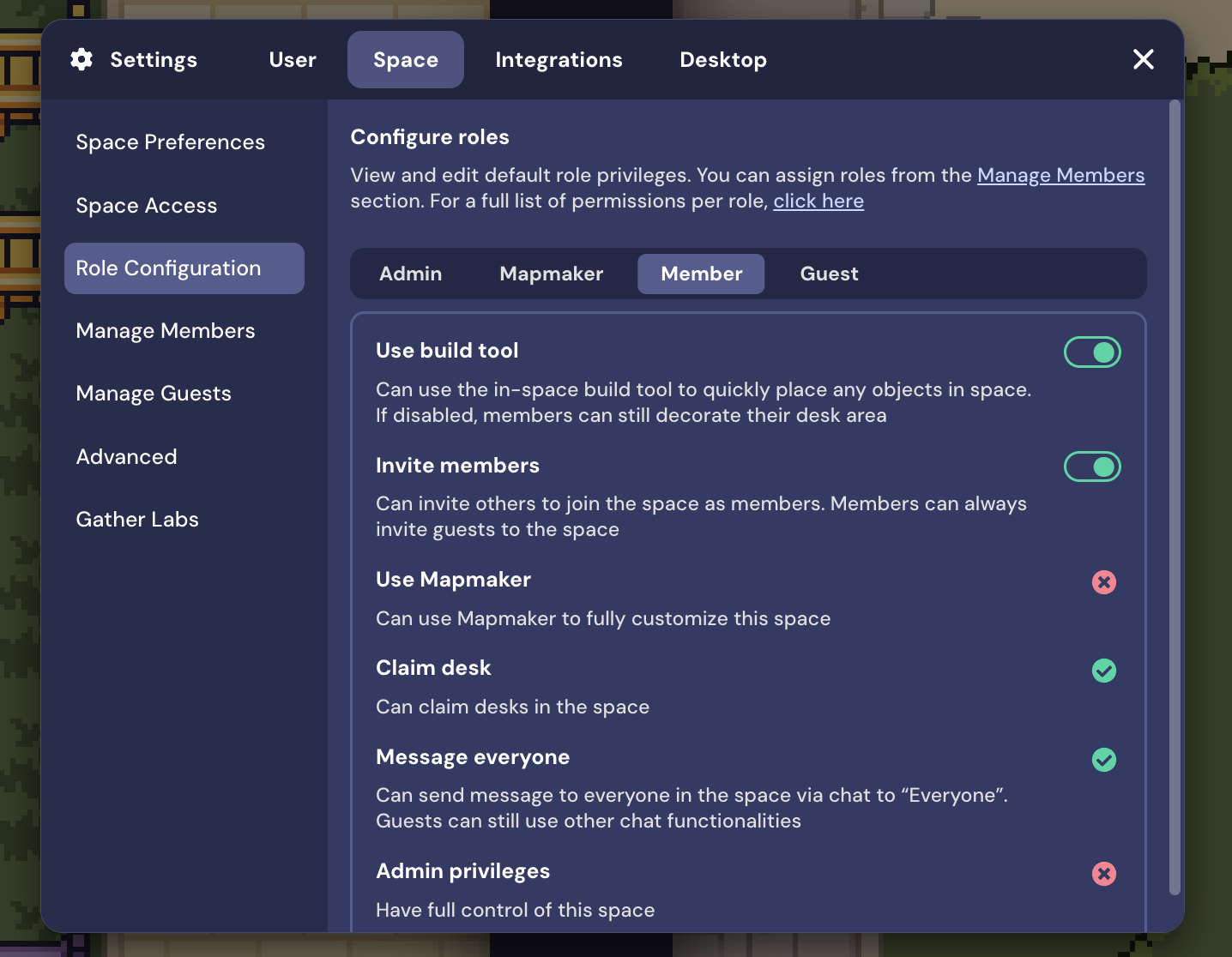
Learn more about User Roles and Permissions here.
Manage Members
View all Members in your space and adjust their User Role.
Manage Guests
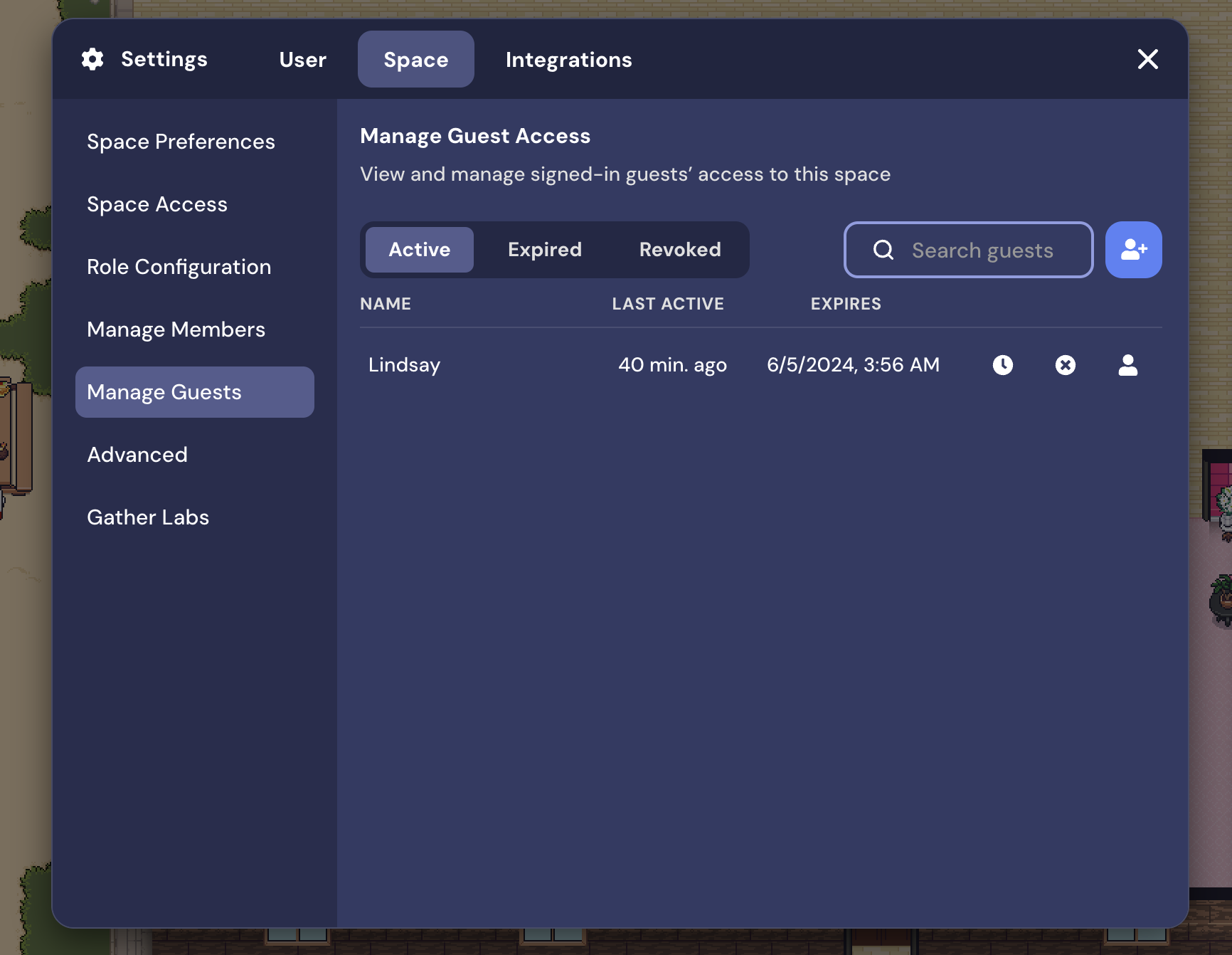
View a log of all Guests that have been in your Office. This tab shows when their access will expire, along with options to adjust or revoke access if needed. You can also promote Guests to a Member from this window.
Advanced
Customize Space
This button opens the Mapmaker, our advanced customization tool.
Learn more about the Mapmaker here.
Space Dashboard
The button opens the Space Dashboard, where you can manage your subscription and many of the same settings.
Gather Labs
Gather Labs is the home of experimental beta features. To test one, click the button to enable and refresh your space.
To submit a bug report or share feedback:
Open the Main Menu and select ‘Report issue / bug’
Or email support@gather.town