Manage Language Preferences
Last updated: May 21, 2026
Gather 1.0 currently supports three languages: English, Japanese, and Portuguese. You can manage your language settings by following these steps.
How to Change Your Language Preferences
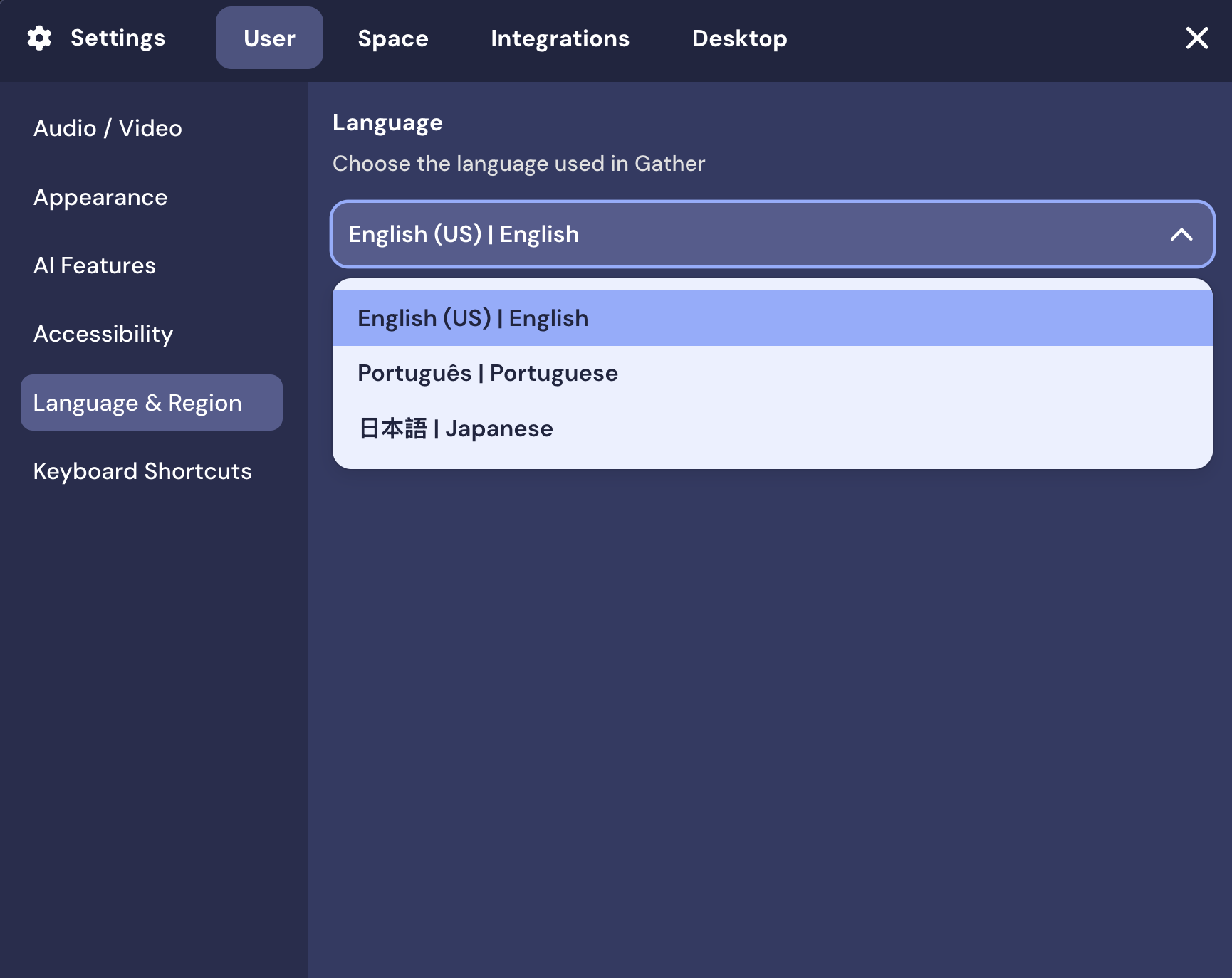
Go to Settings
Click on the User tab
Click on Language & Region
Select your preferred language
Refresh the app or browser for the changes to take effect
You must set your language preference in both the desktop app and web browser.
Troubleshooting Unexpected Behavior
Issue | What to check | Explanation |
I want Gather to use a different language from the one I use in my browser or device settings. | Make sure you've updated your Gather settings to your preferred language. | We currently mirror your default browser language settings. |
I see one language in the desktop app and another in the browser. | You need to set your preferred language separately in both the desktop app and the web browser. | Currently, our app and web browser experiences don't mirror each other's language settings and must be configured separately. |
Why do I see one language in some spaces and another in others? | Make sure to update your preferred language for each space that you join. | You can configure your language settings to be unique for each space. |
I've noticed a problem with Gather's translations. | Make sure to report a bug through Main Menu > Report issue / bug. | We love feedback and want to make sure our translations are accurate. |
To submit a bug report or share feedback:
Open the Main Menu and select ‘Report issue / bug’
Or email support@gather.town