Invite Members and Guests to a Conference Space
Last updated: May 22, 2026
As you prepare your Conference Space for your Gather 1.0 Event, there are several ways to add Members and Guests to your space.
This article will explain how to invite Members and Guests to a Conference Space. For Offices on Gather, follow this guide to learn how to add/remove Office Members and this guide to learn how to manage Office Guests.
Overview
To invite people to your Conference Space, look for the Invite button in the Main Menu (Gather logo in the bottom navigation bar) or in the Participants Panel.
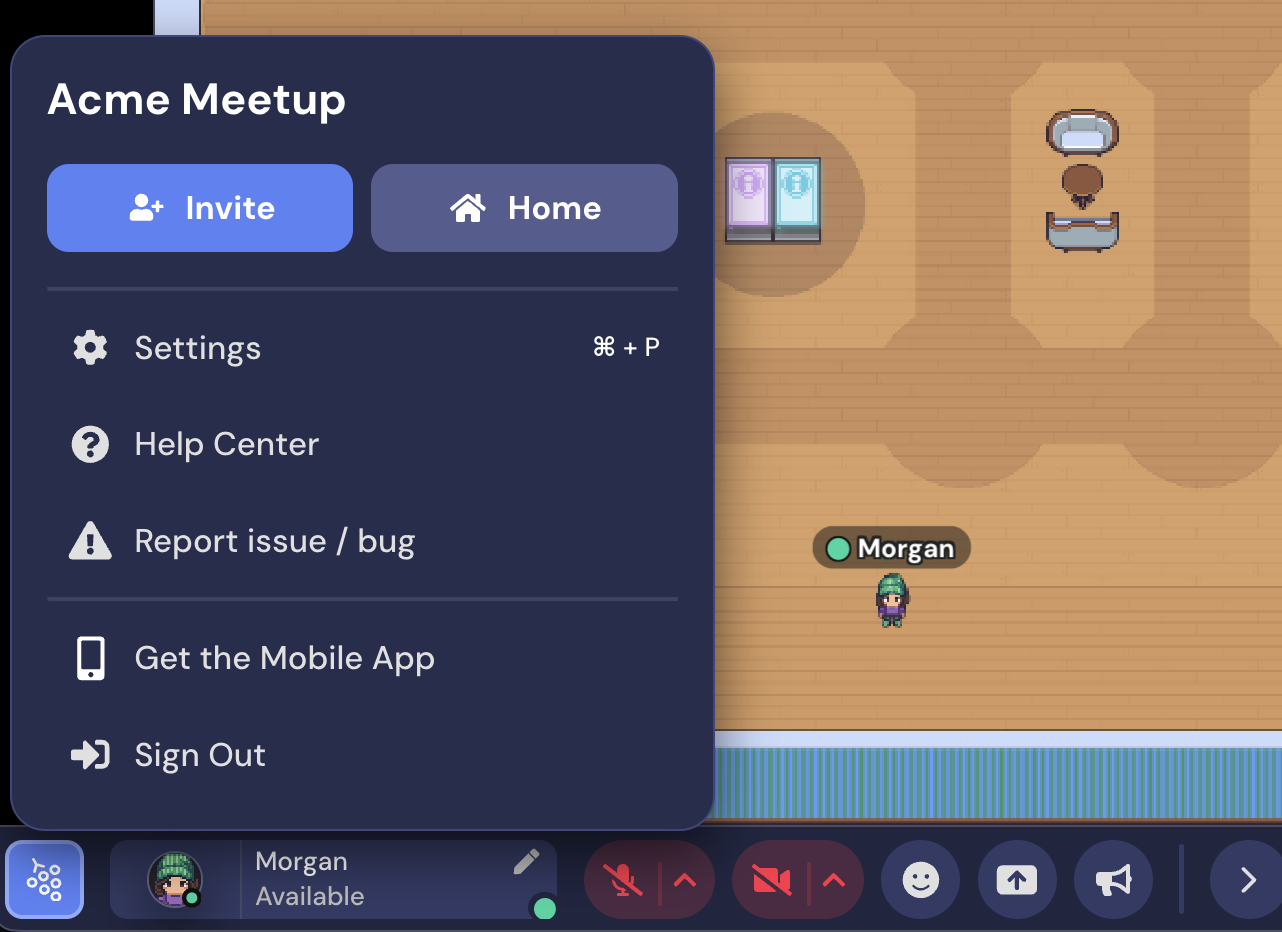
If you don't see an Invite button in the Main menu or see an Invite Disabled button in Participants, invites have been disabled in your Space. (See below.)
To invite someone to your Conference Space, you have five options:
Copy and paste the URL of the space. This will default to inviting people as Guests. Be aware: The link does not expire and anyone can pass it on.
Invite Members via email. Open the Main Menu, click Invite, select an expiration for the link, enter the email address of the person you want to invite, and select Send Invite.
Invite Members via link. Open the Main Menu, click Invite, select Invite by link, and select Copy Invite Link.
Share the event landing page. This is the easiest way to invite lots of guests to your event on Gather.
Disable Invite Button
If you want to restrict access to the invite button, open Settings. Select the Space tab and Space Preferences. Toggle on the Disable Invite Button.
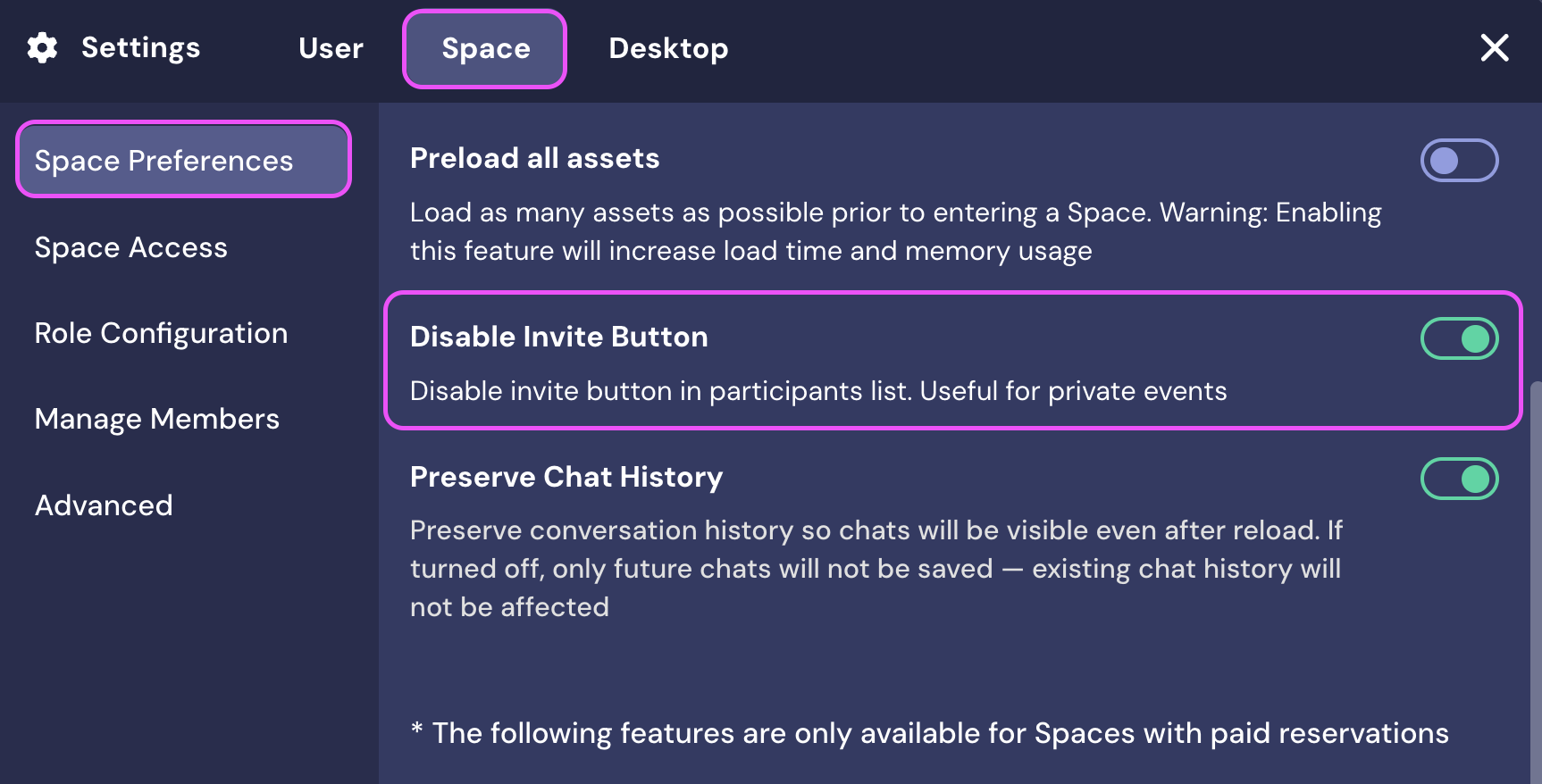
Admins and Moderators will still be able to invite people, and both roles have access to the Disable Invite feature. All other roles will not be able to invite people.
Keep in mind, users can still copy and share the space URL. Read this guide for more information about limiting who can access your Space.
To submit a bug report or share feedback:
Open the Main Menu and select ‘Report issue / bug’
Or email support@gather.town