Troubleshooting a black screen
Last updated: May 29, 2026
There are several reasons why you may see a black screen or black background. Here are some quick troubleshooting tricks you can try to resolve your issue.
Reset Your Location
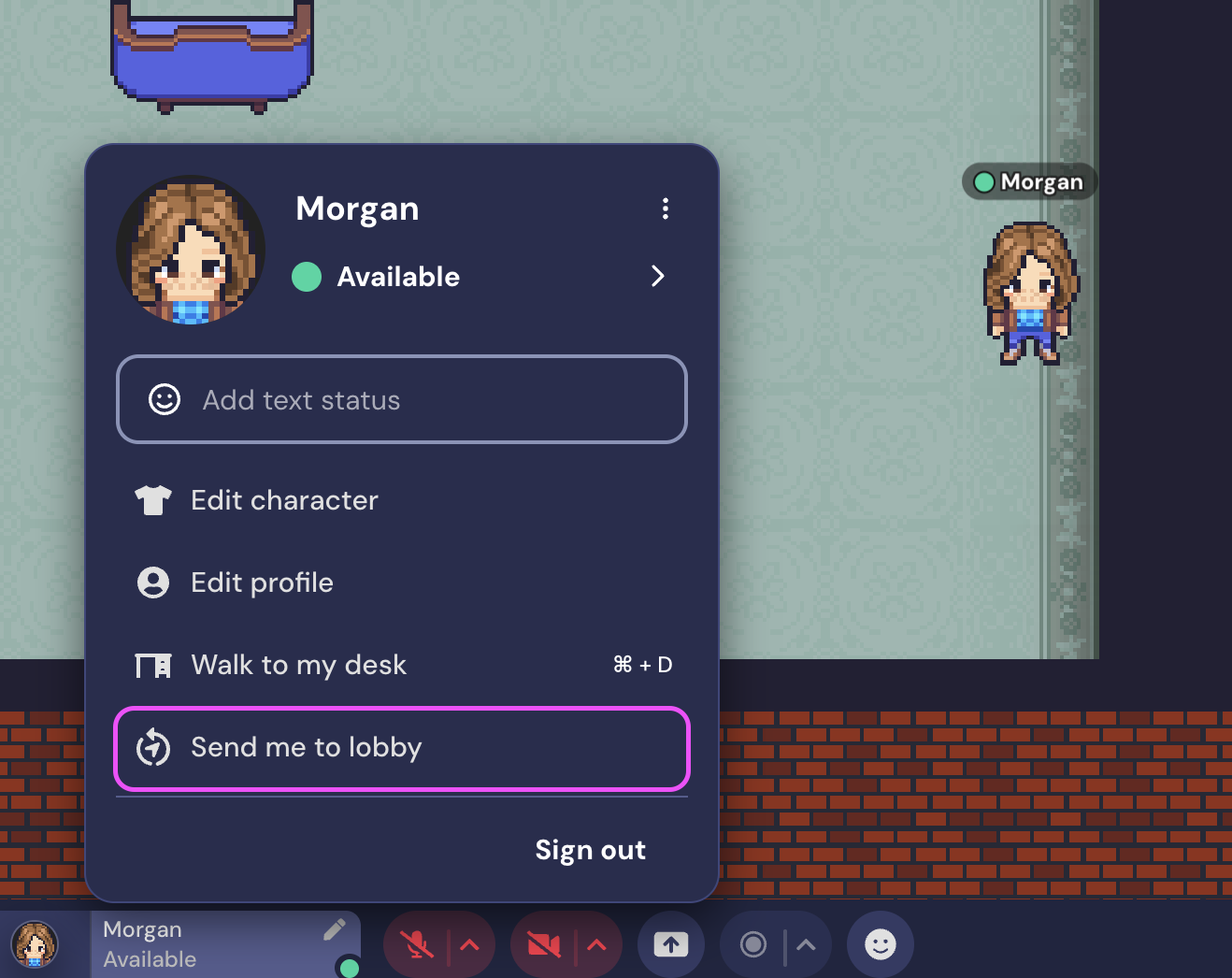
Occasionally, there may be an issue with your current position due to map edits or other situations. The quickest way to resolve this is to respawn at a default location in the space. Select your name (the personal menu) in the toolbar, then select Send me to lobby.
Try a Hard Refresh
A hard refresh in your browser is different from a regular refresh in that it also clears the webpage's cache. Doing this will not log you out of Gather or forget your position in the space, and cached files for other sites will not be affected.
First, go to the Gather space that's having the problem. Then use the following key combination to refresh the page:
Chrome or Firefox for Windows: Press Ctrl+F5. If that doesn’t work, try Shift+F5 or Ctrl+Shift+R.
Chrome or Firefox for Mac: Press Shift+Command+R.
Other Browsers: Try pressing the browser's refresh button while holding down shift, or manually clear the website cache in the browser's settings.
Add a Background
If you see a black background but can still see objects, the background may have been accidentally deleted (or not saved if you were using the Walls and Floors beta feature in the Mapmaker). If you own the space and you have a copy of the background, you can try uploading it again.
Open the Mapmaker. Click the hamburger menu in the top left corner. Click Background & Foreground, then Upload a Background.
If you used the Walls and Floors beta feature, you will need to recreate the background. When you are finished drawing or uploading your background, click Done in the Top Nav Menu of the Mapmaker, and then click Save before reloading the space.
Check out our article on adding and managing Backgrounds and Foregrounds for more details.
Check If You Are Banned
If your entire screen is black and you do not see any objects, you may have been banned from the space. Bans are done by IP address. This means if you tested the ban function on yourself or a member of your household, you may have banned yourself from your space.
For more information and available options moving forward, please see our page on how to Block, Kick, & Ban Users.
Contact Support
If these suggestions don't resolve the black screen you're seeing, feel free to contact our support team at support@gather.town and we can help you troubleshoot.
To submit a bug report or share feedback:
Open the Main Menu and select ‘Report issue / bug’
Or email support@gather.town