Understanding Different Space Types
Last updated: May 29, 2026
Gather 1.0 supports two space types: Remote Work and Events.
Tip: You can easily tell what type of space you have by checking for the info board icon (signpost) in the bottom navigation bar. If you see an info board icon, you're in an Event Space. If you do not see this icon, you are in a Remote Work Space.
Choosing Your Space Type
Whenever you create a new Gather 1.0 space, you'll start by selecting the space type.
Getting started with your first space
When you create your first Gather 1.0 space, you have two options:
Remote Office: A space to regularly collaborate and connect with distributed teams. (A Remote Work type space.)
Conference: Host a large virtual event with talk sessions, poster booths, and more. (An Event type space.)
Creating additional spaces
If you choose to create an additional space, you can pick a template, copy an existing space, or create a blank space.
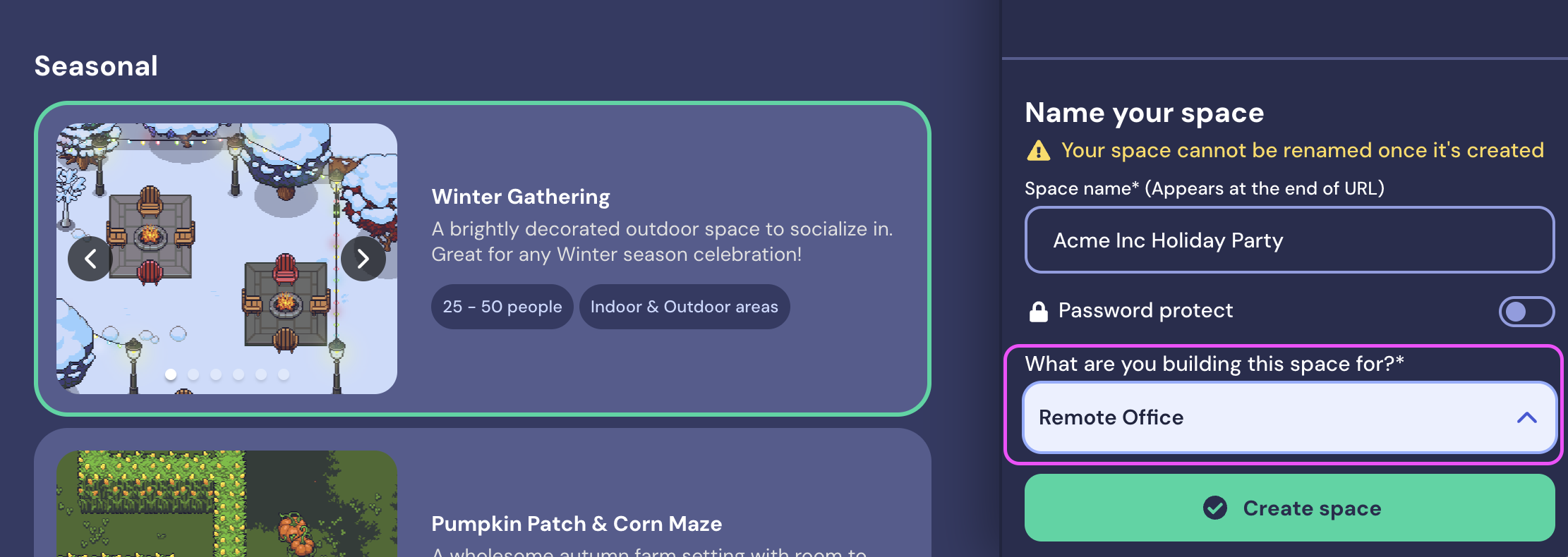
The space type is determined by your answer to the question "What are you building this space for?" If you answer Remote Office, you will create a Remote Work space. Any other answer will create an Event space.
Differences Between Remote Work and Event Spaces
At a high-level, here's what each type of space is best for:
Remote Work spaces have presence and productivity features to help you interact with your coworkers day to day. Hold meetings, collaborate together, and build a team culture you love.
Event spaces are optimized for hosting external guests during one-time events. Host conferences, hold virtual meetups, or plan things like poster sessions.
Learn more: 📄 Overview of Gather 1.0 Features
Changing Your Space Type
Unfortunately, there is no quick way to change your Gather 1.0 space type at this time. If you want the same space but need to change the type, you'll need to create a copy of the space and change the answer to "What are you building this space for?"
You must an Admin or Builder to make a copy of a Space.
To copy a space and change the space type:
Select Copy from existing space.
Choose the Space you want to copy.
Answer "What are you building this space for?" and choose the answer that aligns with your desired Space type:
Remote Work Space: Choose Remote Office.
Event Space: Choose Event, Social Experience, Education, or Other.
To submit a bug report or share feedback:
Open the Main Menu and select ‘Report issue / bug’
Or email support@gather.town