Leave and Receive Notes
Last updated: May 28, 2026
Leave a thoughtful note on a teammate's desk for their birthday, work anniversary, or just a job well done. Notes are an excellent way to recognize your co-workers and create a sense of community while working from anywhere.
This feature is only available in Gather 1.0 Remote Work Offices. This is currently not available in 1.0 Conference Spaces.
Leaving Notes
To leave a note, the recipient must have claimed a desk. Hover over their desk and click Leave note to open the note options.
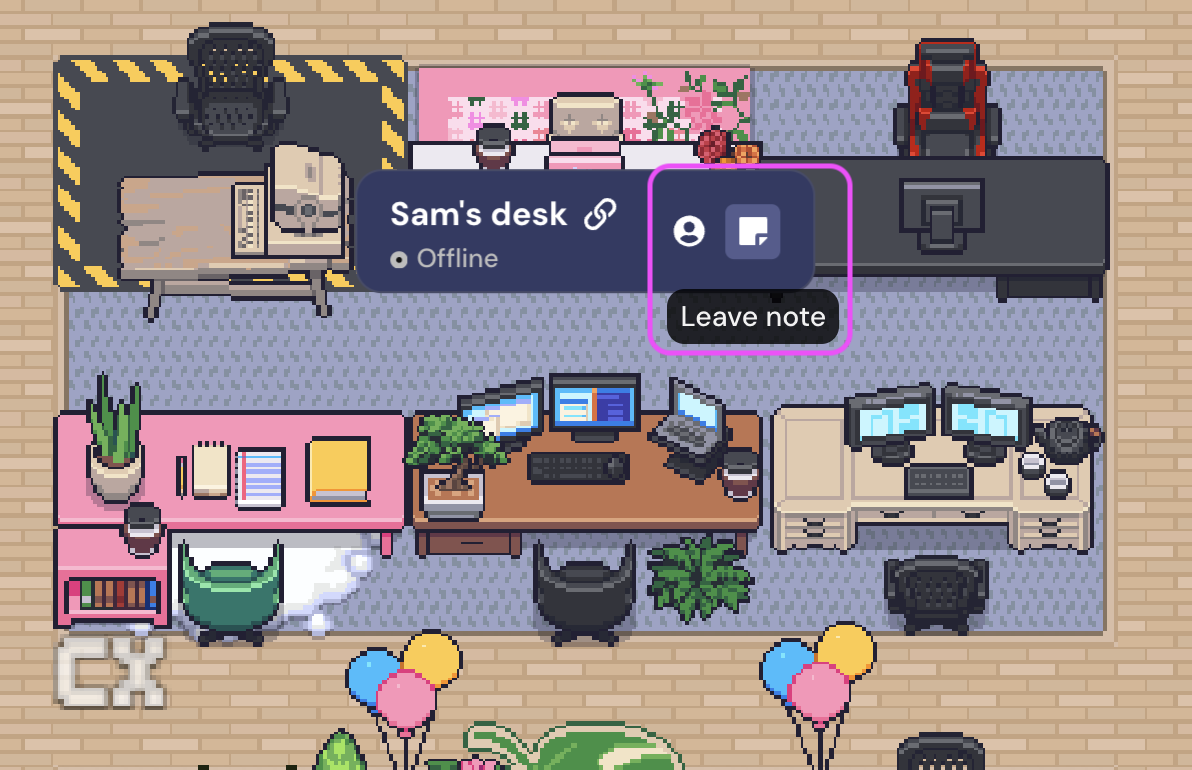
Use the arrows to toggle between the different objects you can place on someone's desk. These include:
A sticky note
Balloons
A thank you card
A whole cake
A slice of cake
A bottle of champagne
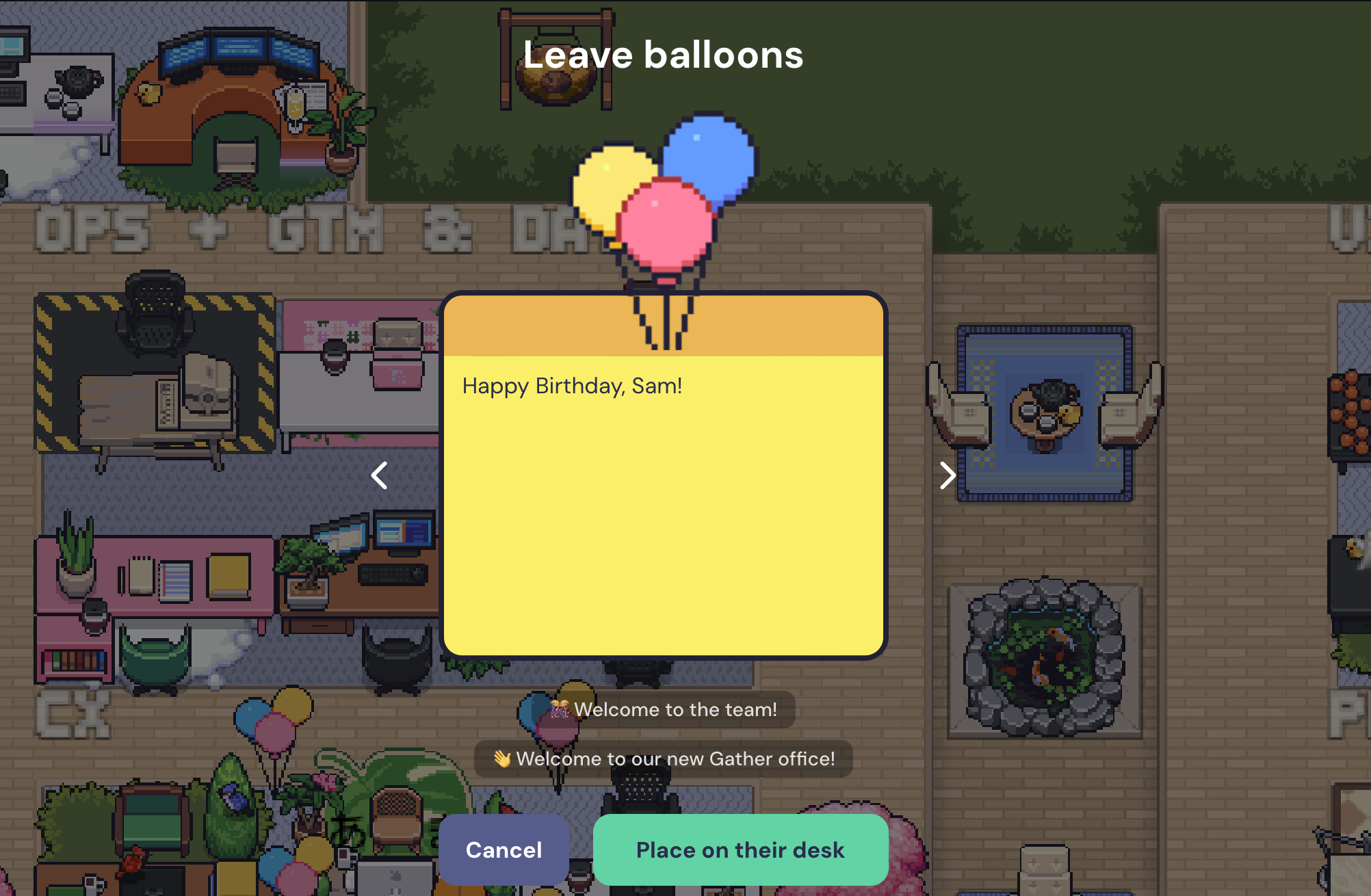
Type your message, and then click Place on their desk. You get to choose where on their desk to place the object attached to your note.
Receiving Notes
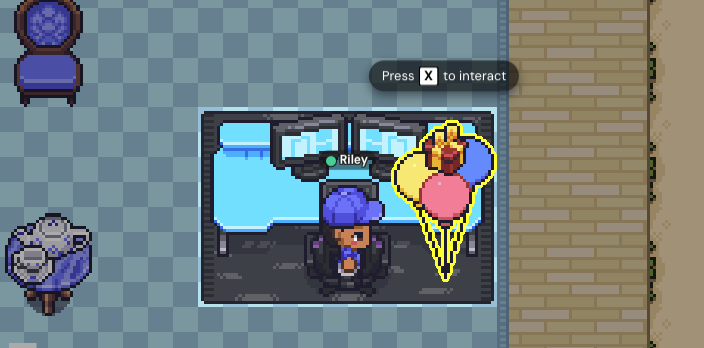
When a note is left on your desk, you'll see an interactive object with a spinning gift box above it. Press 'x' to interact with it.
After you read your note, you can react to it with an emoji. This reaction will appear in the Chat Panel for the person who left you the note.
If you click the gear icon, you can toggle whether the note is automatically deleted after it's read. To keep the note on your desk after you read it, make sure this setting is off.
To submit a bug report or share feedback:
Open the Main Menu and select ‘Report issue / bug’
Or email support@gather.town