Applause Extension
Last updated: June 1, 2026
There's nothing quite like a round of applause to really boost a speaker's morale. Now you can show your appreciation with our Applause Extension!
Any time a bunch of people start dancing (press "z" on the keyboard), shoot confetti (press "f" on the keyboard), or send emotes (1-6 on the keyboard), applause is triggered. The applause grows louder the more people dance, shoot confetti, or emote!
Enable Applause
First, you need to enable the extension in the Mapmaker. Open the Mapmaker. Select the hamburger menu, then choose Extension Settings.
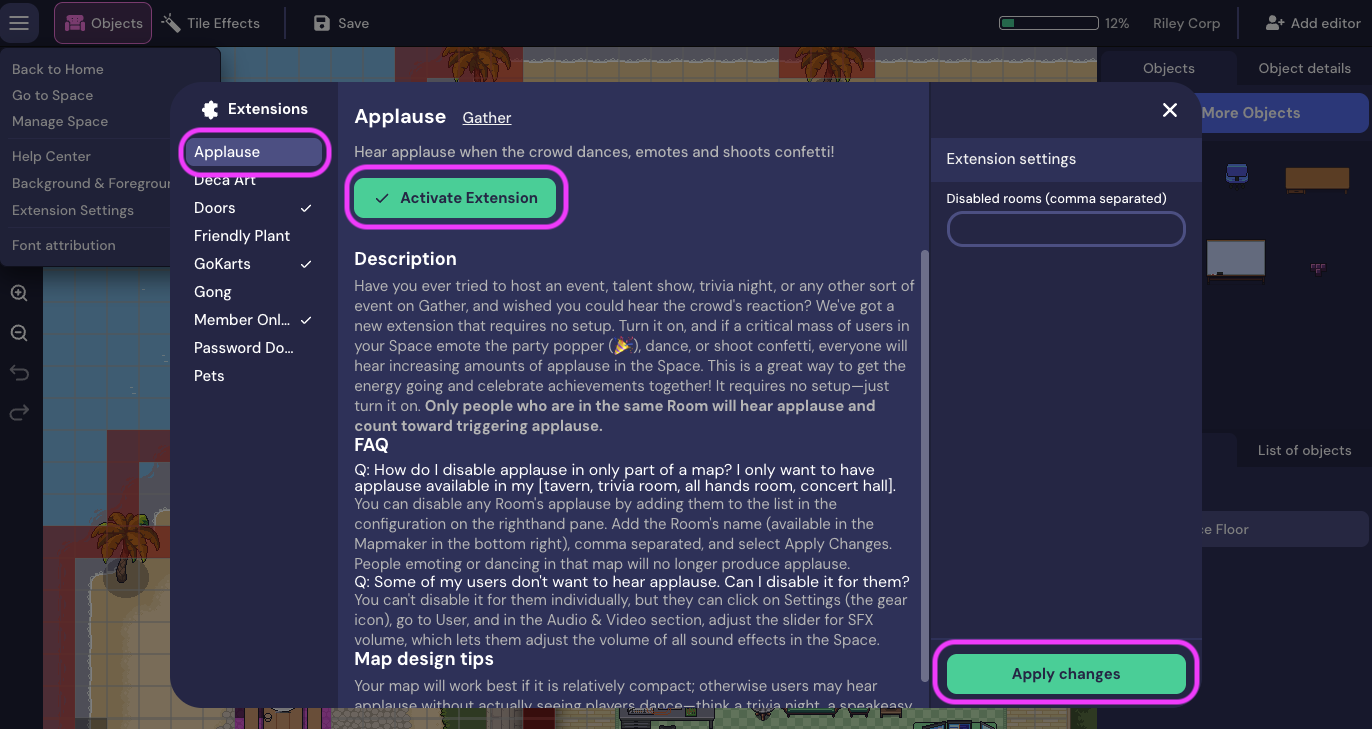
The Extensions window opens. A list of available extensions displays (a checkmark displays next to each extension that has been activated). Select Applause. Then choose Activate Extension, then Apply changes.
Close the Extensions window and return to your Space.
Disable Applause
To disable Applause, open the Mapmaker and navigate to the Applause Extension.
Click Disable Extension and then Apply Changes.
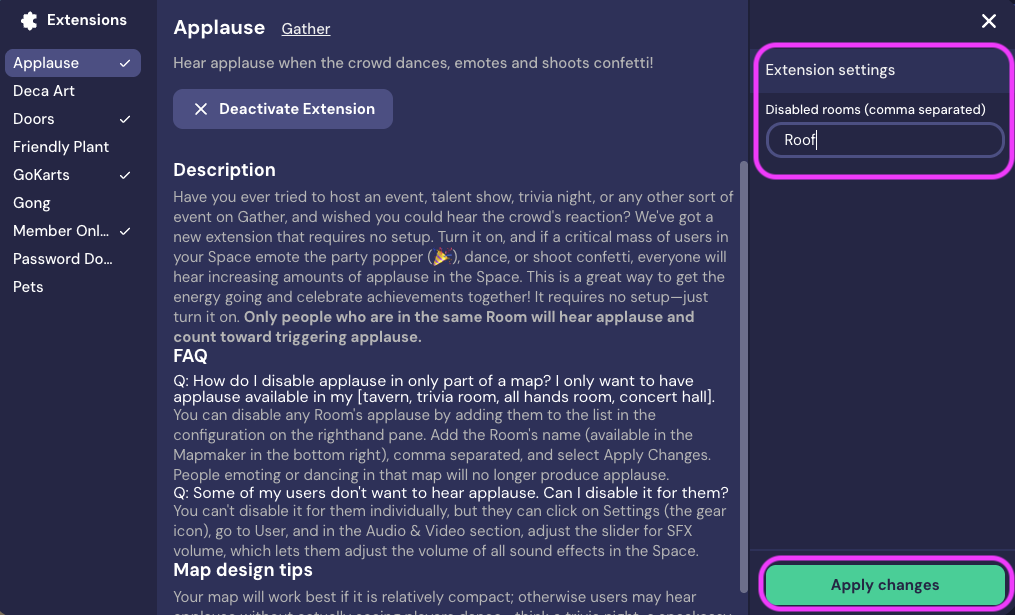
If you only want to disable Applause in a specific Room, enter the Room name in the Disabled rooms field in the Extensions Settings panel. Separate Room names with a comma.
To submit a bug report or share feedback:
Open the Main Menu and select ‘Report issue / bug’
Or email support@gather.town