Friendly Plant Extension
Last updated: June 1, 2026
Looking to bring the outdoors inside your Gather 1.0 Space? Try our friendly plants that grow when you water them.
Enable the Friendly Plant Extension
Open the Mapmaker. Select the hamburger menu, then choose Extension Settings.
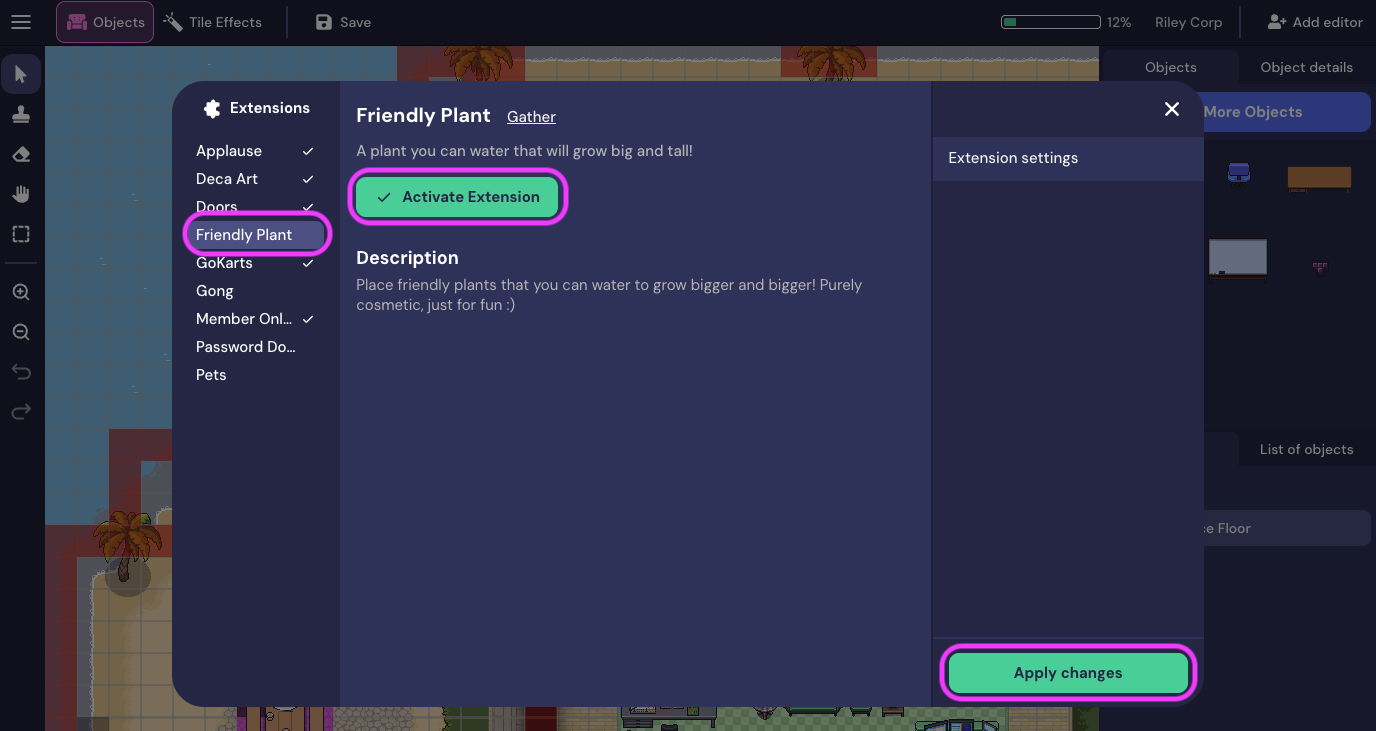
The Extensions window opens. A list of available extensions is displayed (a checkmark appears next to each extension that has been activated). Select Friendly Plant. Then choose Activate Extension, then Apply changes.
Add a Plant
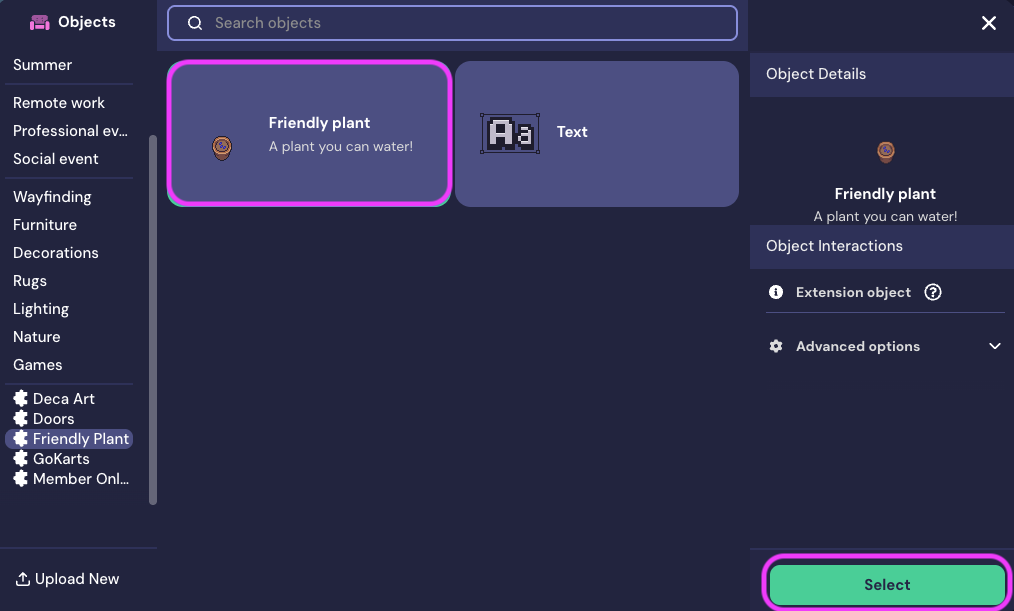
To place a friendly plant, open the Object Picker. In the left panel of the Object Picker, scroll to the Extension objects (look for the puzzle piece), then select Friendly Plant. Choose the friendly plant object, then place it wherever you desire!
When you walk up to a friendly plant, just press "x" to water it. You can water it every hour!
To submit a bug report or share feedback:
Open the Main Menu and select ‘Report issue / bug’
Or email support@gather.town