Customize Your Space
Last updated: June 3, 2026
Gather offers two ways to customize your Space: the Build Tool and the Mapmaker. As the creator of a Space, you can use either method to customize your Map and the objects in it. The in-Space Build tool lets you quickly add or delete objects in your Space, while the Mapmaker is a robust editing tool that lets you manage everything from the walls and floors to portals and spawn points.
Build Tool
The Build tool allows you to quickly add or remove objects in a Space, as well as access the Mapmaker and upload custom objects. Just select Build (hammer icon) in the toolbar. The Build pane opens, allowing you to easily search for objects, quickly add a suggested object (like Draw Battle!), open the Object Picker, upload your own custom image, or access the Mapmaker.
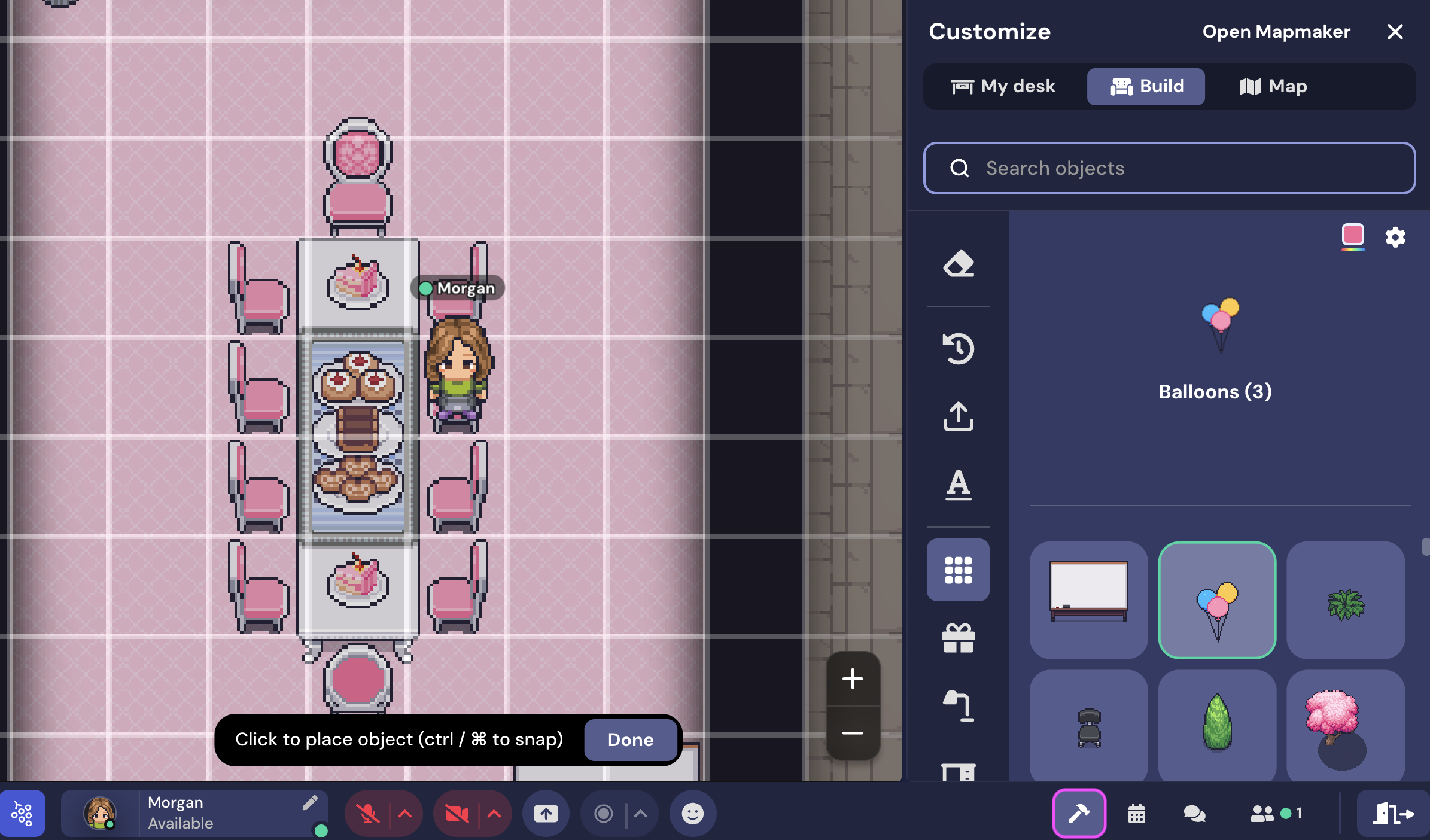
When you've found the object you wish to place, just click anywhere on the Map to add it. When you're done placing objects, close the Build pane.
Tip: If you want to snap the object to the grid (handy for chairs and furniture), hold the Ctrl/⌘ key while you place the object.
Erase Tool
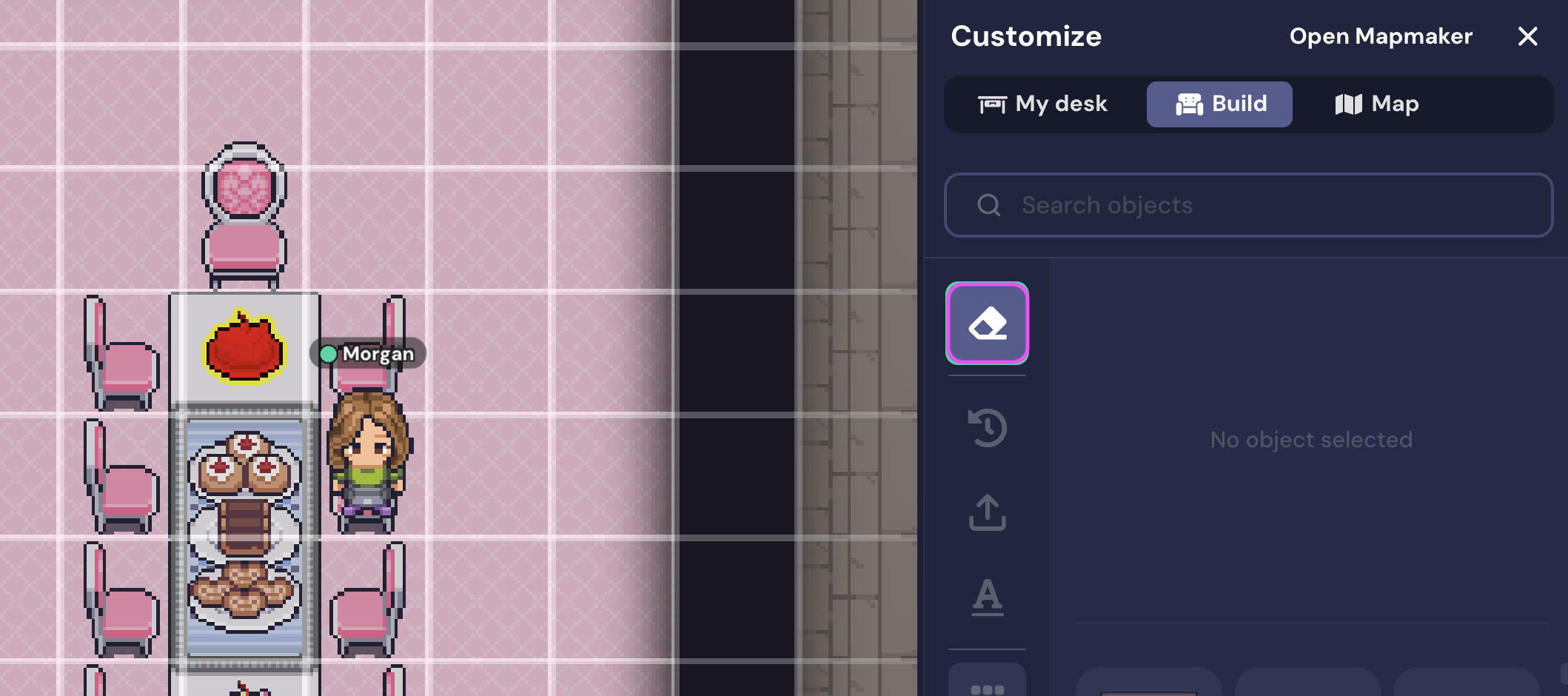
If you want to remove an object, select the Erase tab in the Build pane. The object you hover over displays red. Select the object you wish to erase.
Mapmaker
For more extensive customization of your Space, select Build in the toolbar, then select Edit in Mapmaker. The Mapmaker opens in a new tab, displaying the top left corner of the Map.
Warning: Only one person should use the Mapmaker at a time. If multiple people edit the map at the same time, changes can be overwritten.
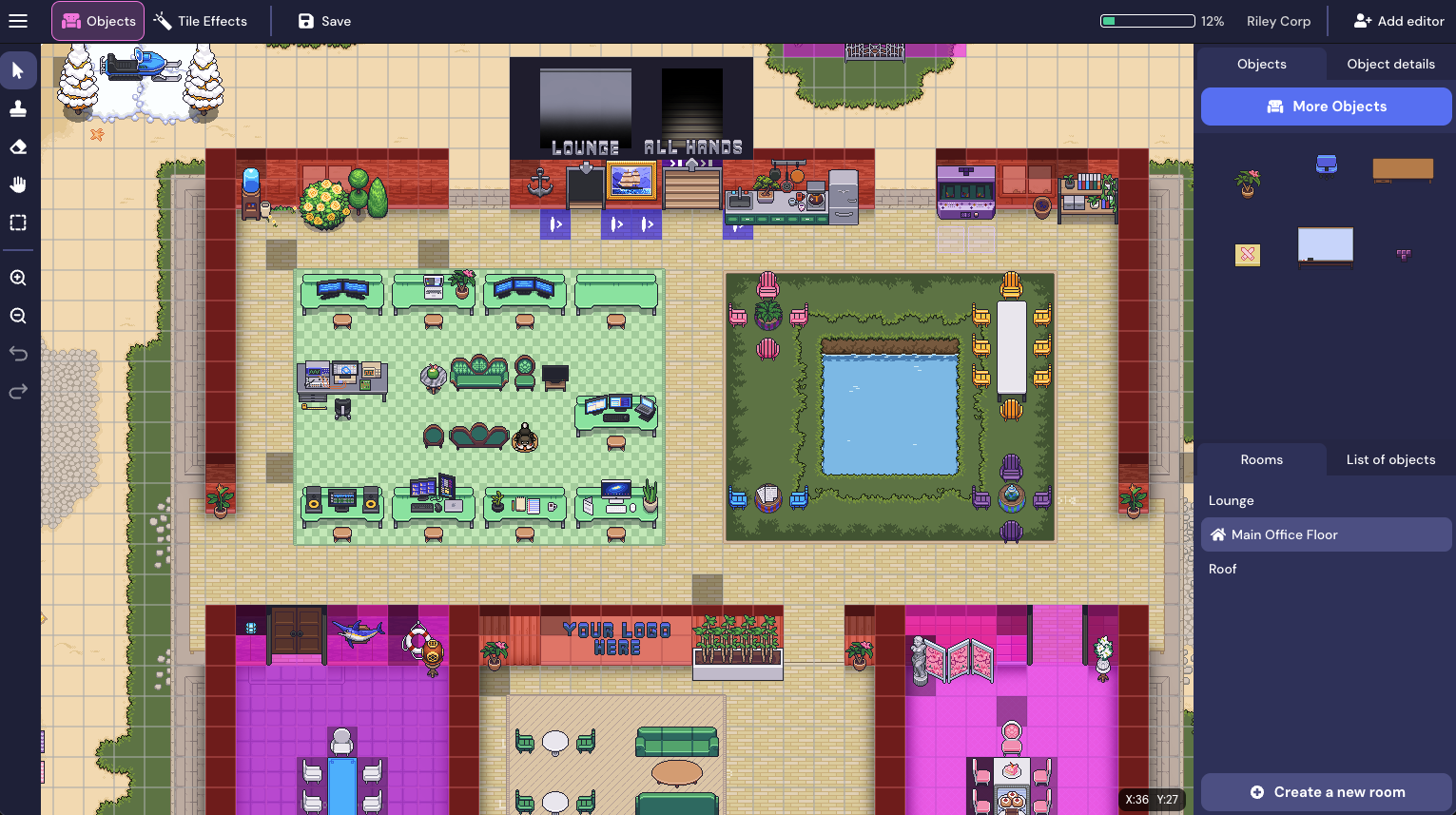
From the Mapmaker, you can add, edit, or remove objects, tile effects, walls, and floors, as well as add and remove Rooms. Remember to select Save before viewing your changes.
Learn more: 📄 Mapmaker Overview
User Roles
Admins, Builders, and Mapmaker roles can access the Mapmaker and use the in-Space Build tool. Members can customize a space as well if an Admin has enabled it.
Learn more: 📄 User Roles & Permissions
To submit a bug report or share feedback:
Open the Main Menu and select ‘Report issue / bug’
Or email support@gather.town