Allow Staff Access
Last updated: June 1, 2026
If you are having issues and contact Gather for support, we may need you to grant us access to your Space so we can troubleshoot more effectively. You can do this via the Space Dashboard or Settings.
To allow Gather staff to access your Space from the Space Dashboard:
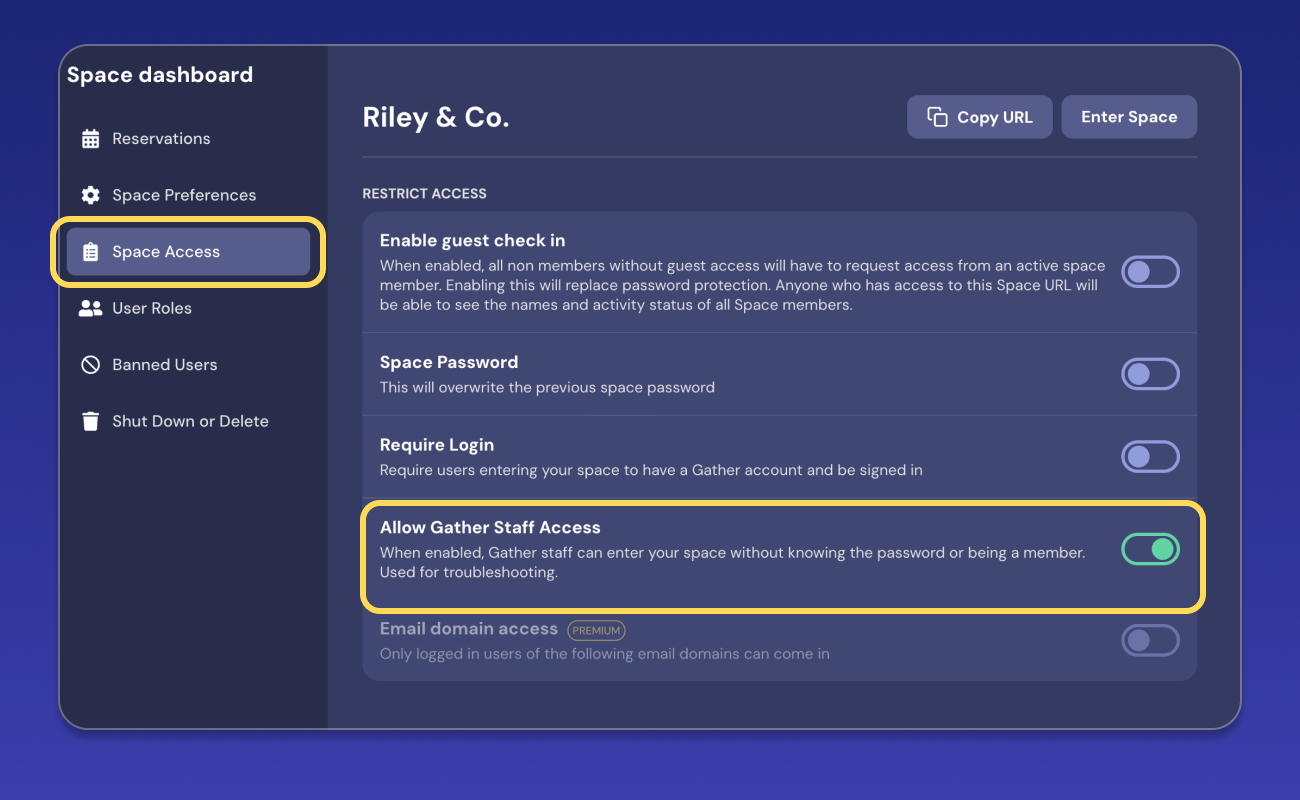
Go to your Space dashboard
In the Left Nav Menu, select Space Access
Toggle on Allow Staff Access
To allow Gather staff to access your Space from Settings:
Open the Main Menu (Gather logo) and click Settings
In the Space tab, select Space Access in the Left Nav Menu
Toggle on Allow Staff Access
Gather Staff will never ask you for the password to your Space.
To submit a bug report or share feedback:
Open the Main Menu and select ‘Report issue / bug’
Or email support@gather.town